
ChatGPT poster prompts for your shop or startup
Copy-paste prompts: make a poster like one you saw for your own business, use 4 ready styles (event, coming soon, buy 1 get 1, product lineup), turn your poster into 3D, or make premium product and offer posters.
Local Business നടത്തുന്നവർക്കും, പുതിയ Startup തുടങ്ങുന്നവർക്കും.
Pick a poster, copy, done
A poster like the one you saw, for your business
Saw a poster you love? Upload it to ChatGPT as a reference and add your details. You get a new poster in the same style, with your name, offer, logo and phone number instead of theirs.
Anyone with a shop, startup, event or service who wants a pro-looking poster fast.
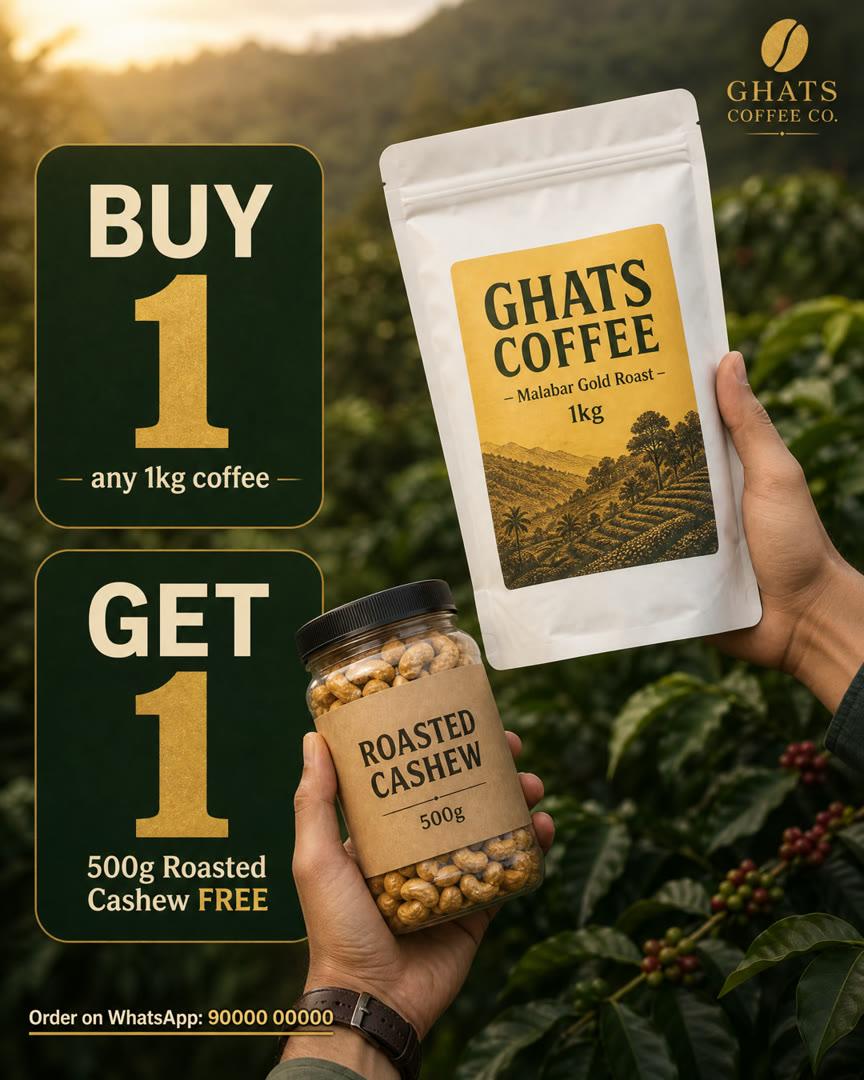 Reference
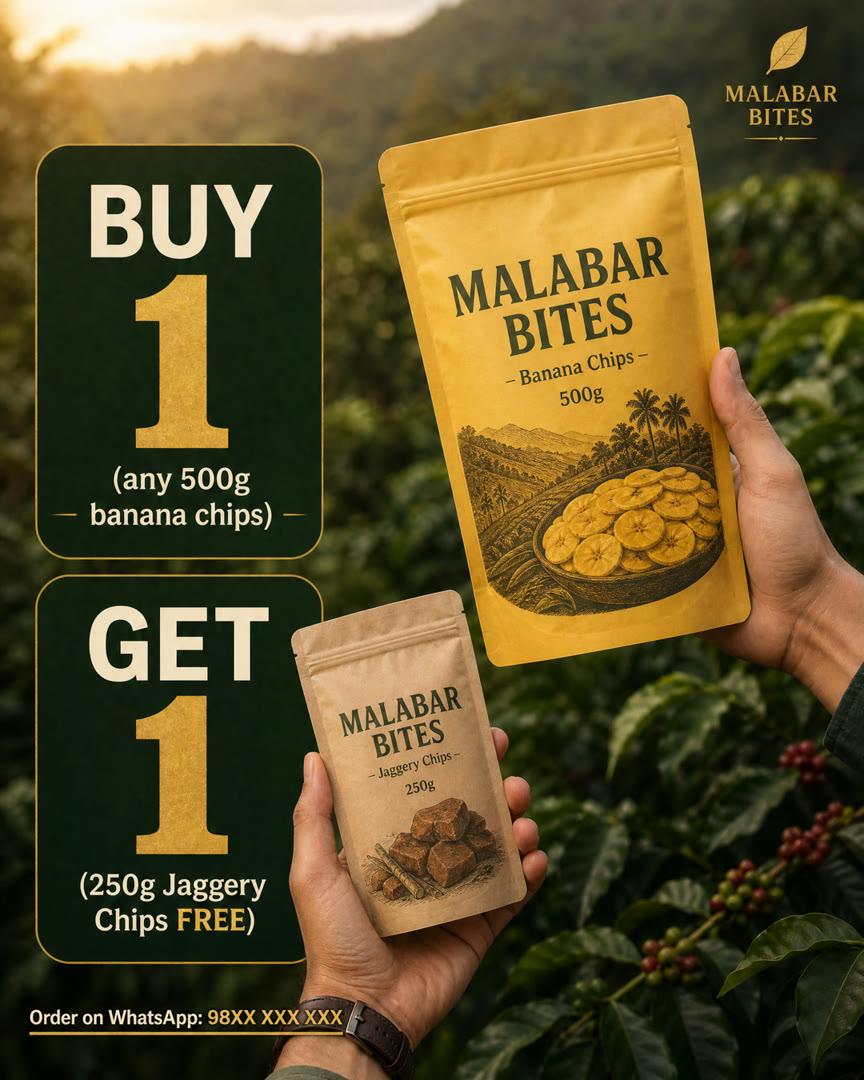 Your poster
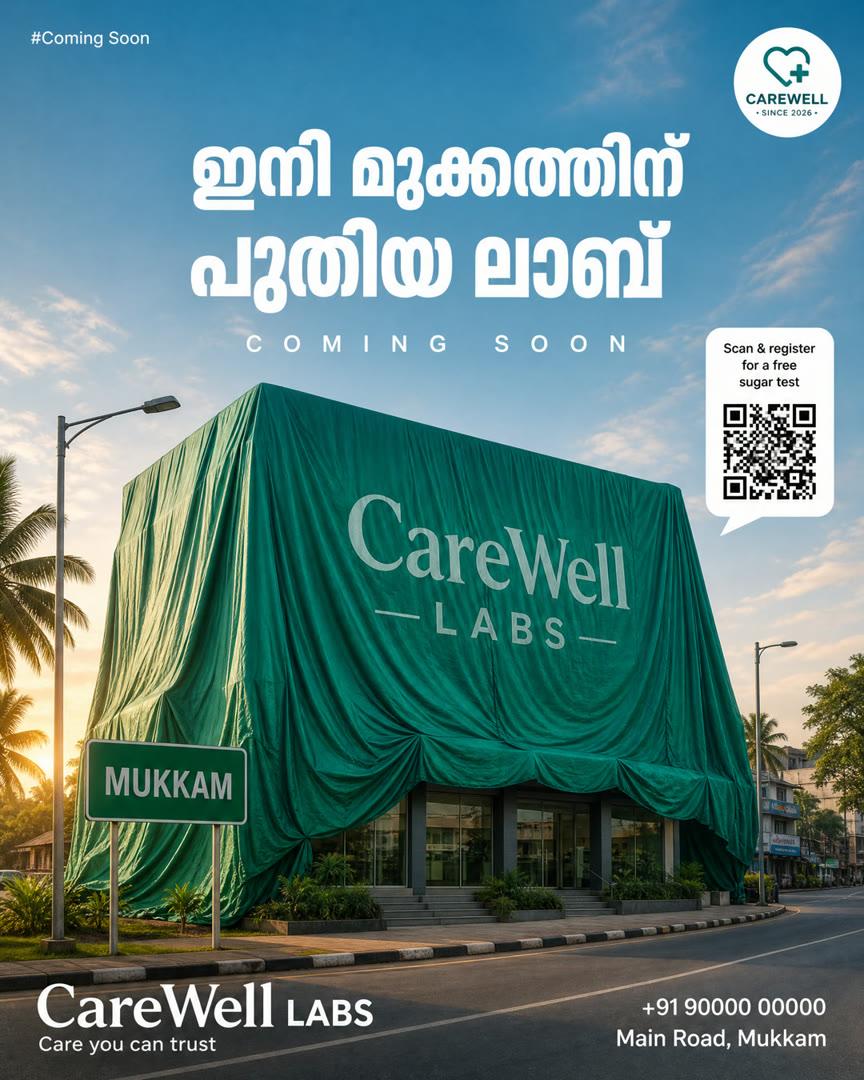 Reference
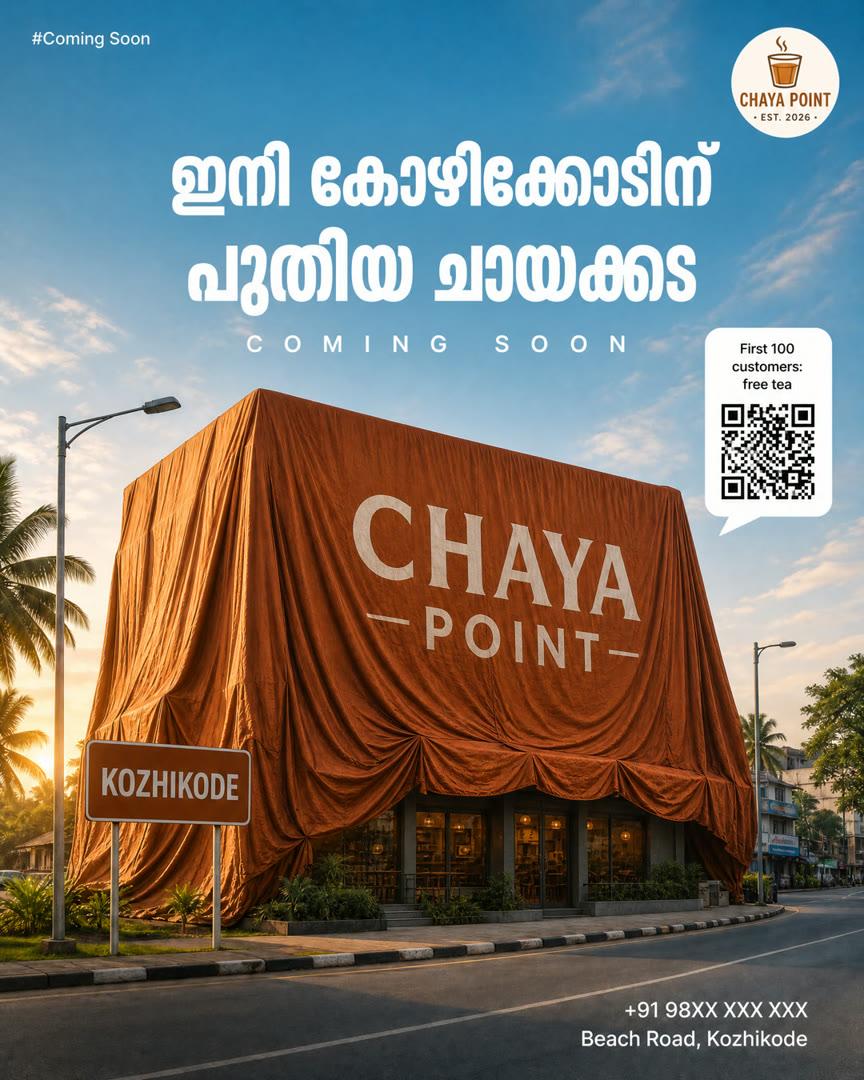 Your poster
Example made with this prompt for a sample business.
Save a poster you like
1Find one on Pinterest or Instagram and save or screenshot it. Event, offer, coming soon and product posters all work.
Upload it to ChatGPT
2Open ChatGPT, tap the + button, choose Photos and pick that poster.
Paste the prompt with your details
3Copy this, fill in everything inside [ ], and send it in the same message.
I've attached a poster I like as a style reference. Create a NEW Instagram poster (4:5, 1080x1350) for MY business in the same style: same layout, colours, fonts, mood, photo style and composition.

Replace everything that belongs to the other brand (logo, brand name, products, text, phone numbers, QR code, address) with my details below. Do not copy their logo or name.

My business: [business name]
What to show: [your product / shop / event]
Headline: [short headline]
Offer / details: [offer, price, date]
Contact: [phone number / location]

If I've attached my logo or product photo, use them exactly.
Keep all text short and spell it exactly as I wrote it.
Add your logo and product photo
4Optional, but it makes a big difference. Attach them in the same message so ChatGPT uses your real logo and product.
Tweak lines
Add one at the end of the prompt, depending on your poster.
Before you post
Keep text in English
1AI image tools often get Malayalam letters wrong. Add Malayalam text later in Canva if you need it.
Shorter text, fewer mistakes
2A 3–5 word headline comes out right far more often than a long sentence.
Fix one word
3If a word comes out wrong, reply in the same chat: “Fix the spelling of ___, keep everything else the same.”
Your brand colour
4Replace “emerald-green” and “mint-green” in the prompt with your own colour, like “royal blue”.
Check before you post
5Always check the price, phone number and spelling. AI can change small details.
Use your own photos
6Only upload posters and photos you own or have permission to use.
More useful AI tips, in Malayalam
Prompts, tools and small AI workflows for business owners and creators. ഇതുപോലെയുള്ള Useful AI Tips അറിയാൻ Page Follow ചെയ്തോളൂ!